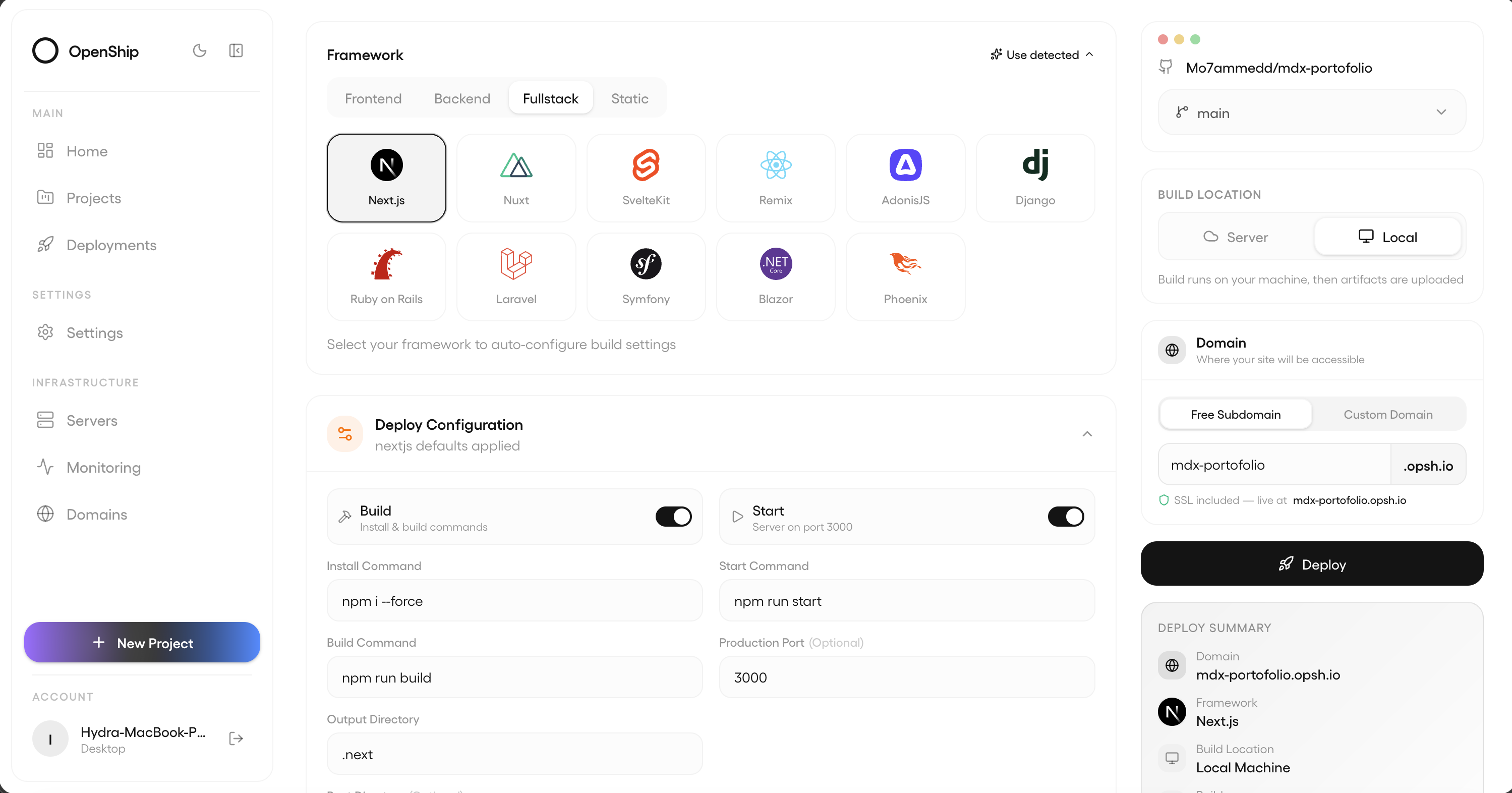
The full dashboard, in a native window - deploys, logs, metrics, and services.
The CLI · /docs/cli
One command.
Any shell, any OS.
Install globally and you’re ready. Same binary on every OS. No daemons. No background services. No mystery.
Full CLI referenceDesktop App
Native everywhere.Signed and notarized.
Same Openship in a polished desktop window. Auto-updates across every platform, ready out of the box.
Other platforms
requires macOS 12+, Windows 10+, or Ubuntu 20.04+ · all releases & changelog
From install to live
Three commands.Zero config.
Install
One command in any package manager. Runs on Node, no daemons or agents.
Run
openship up starts Openship locally (API + dashboard), or openship install for the desktop app.
Ship
openship init links your project, then openship deploy. TLS, DNS, databases, edge - done.
Pick your surface
Three ways to deploy.Same engine underneath.
CLI
Install once, deploy from any shell. Stream logs, roll back, manage domains - without leaving your editor.
Web Dashboard
Bring up the full dashboard on your own box. Team access, CI/CD, monitoring, audit logs.
Desktop App
macOS, Windows, Linux. Connect servers, deploy, monitor - visual workflows in a single window.
Ready in 60 seconds.
Install the CLI and ship your first deploy. Free, open-source, Apache 2.0.