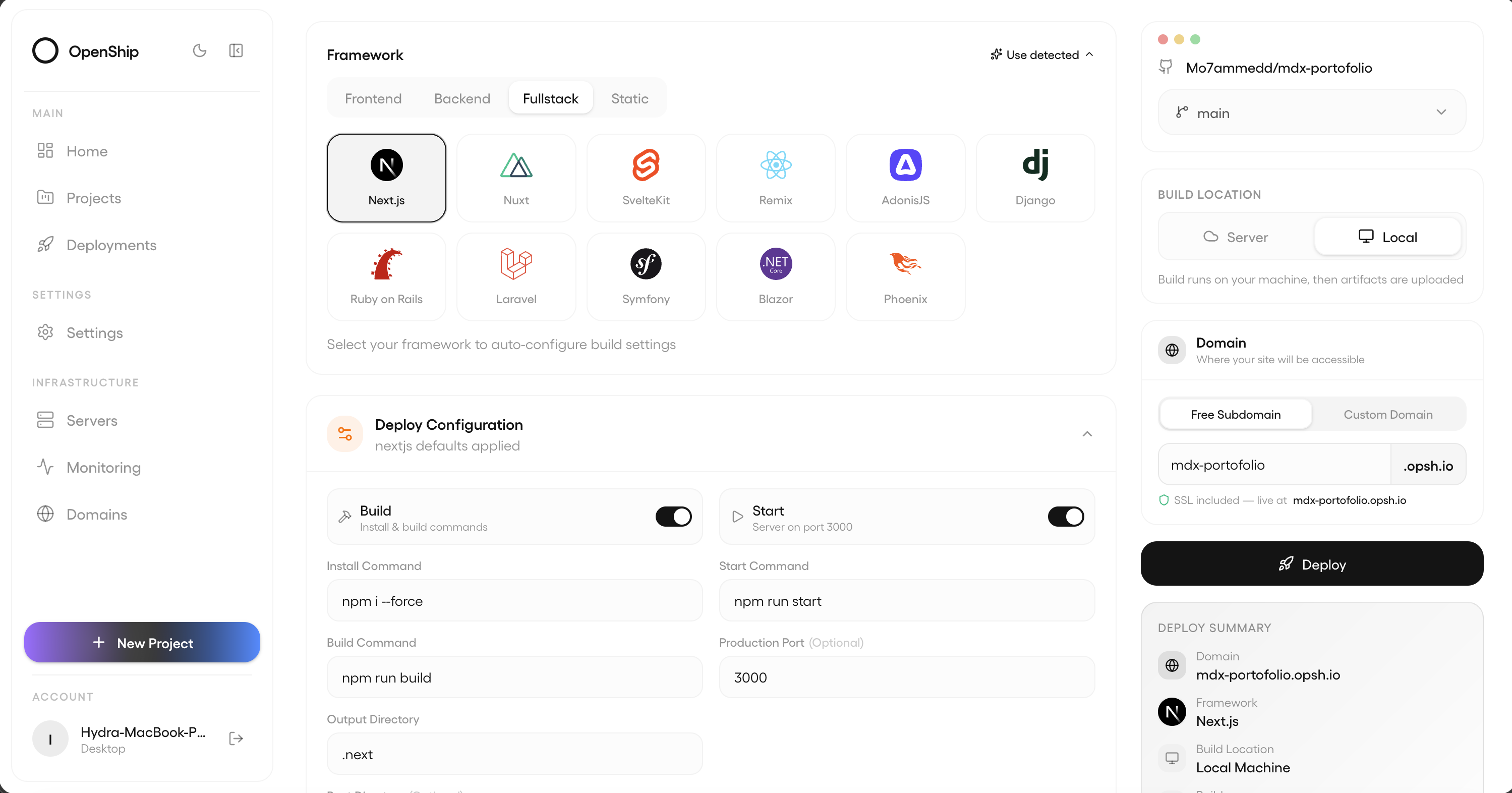
Push your code - builds, config, and deployment are handled automatically. Use our cloud or connect your own servers. Zero lock‑in, completely open‑source.
From a git push to a served request — this is the actual path your code takes, and every box on it is something Openship runs for you.
Diagram of the Openship deploy path. A git push, CLI command, desktop app or AI agent triggers a build. The build runs on your machine and produces an immutable version, then streams over SSH to your server — Openship Cloud, your own VPS, or a homelab. On the server, managed Postgres, Redis, mail and object storage join the app on a private network. The edge layer terminates your domains with automatic SSL and serves visitors, and any previous version can be restored in one click.
A git push, a CLI command, the desktop app, or an AI agent over MCP. Whatever your stack — Node, Python, Go, Rust, Docker, a monorepo — it is detected for you.
The image builds on your machine, not on your production server. Every build comes out as an immutable, versioned artifact.
It streams to the target over plain SSH and starts as a fresh container. No agent, no daemon, nothing installed on your box.
Postgres, Redis, mail and object storage join it on an isolated private network — reachable by your app, never by the internet.
Your domains resolve to the edge, which terminates free auto-renewing SSL and hands each incoming request to the new container — the swap happens with zero downtime.
The version you were running stays warm. One click puts it back — no rebuild, no waiting, no lost state.
How it works
From git push to live, on your infrastructure.
No agent on your servers, no black box. Here’s the exact path your code takes — and why your production machines never build.
01
Connect
Link a Git repo and pick a target — Openship Cloud or your own server over SSH. Nothing is installed on your box: no agent, no daemon, no dashboard.
02
Build
On every push the image builds on your machine (or in the cloud), runs your tests, and is tagged as an immutable, versioned artifact. Your production servers stay focused on serving.
03
Ship
The built image streams to the target over SSH and starts as a fresh container on an isolated private network — no exposed ports, no hand-written Docker or Compose.
04
Route
Your domains are wired through OpenResty with automatic Let's Encrypt SSL, then traffic swaps to the new container with zero downtime. The previous version stays ready for rollback.
05
Operate
Stream logs, watch metrics, and roll back to any previous version in one click — from the CLI, the web dashboard, the desktop app, or an AI agent over MCP.
Where it runs
Cloud, self-hosted, or both.
Same platform, three deployment shapes - and you can switch any day.
01Managed
Openship Cloud
Build and deploy web apps from your repository. Manage deployments, domains, and logs in one place.
Managed builds and application runtimes
HTTPS domains and static site hosting
Track credit usage in your dashboard
From $5/moMonthly or annual billing
02Self-hosted
Your servers
Run the entire platform on machines you own. Any Linux box, any provider, any region. Add nodes as you grow.
Connect any VPS - Hetzner, DO, AWS, bare metal
Multi-server fan-out across regions
No agent or dashboard on your boxes
Free & open-sourceApache-2.0 — self-host today, no billing
03Hybrid
Mix and match
Cloud for the burst, your servers for sensitive data. One control plane. Move workloads without rebuilding.
Apps on your servers, services on the cloud
Or production locally, previews managed
One billing, one team, one dashboard
Cloud plan + your serversOne Cloud subscription, unlimited self-hosted boxes
Migrate any day
Cloud ⇄ self-hosted. One click, any time.
Your apps are plain containers and your services are standard images. Move workloads between Openship Cloud and your own servers without rebuilding, rewriting, or paying an exit tax. Click, confirm, done.
The app catalog
Your next app. Already assembled.
A backend for your next project. A database for your data. The tools your team uses every day. Explore ready-to-deploy apps, then choose where they live.
A real mail server on your own box - not a send-only API. Outbound relays through a trusted provider (Amazon SES or any SMTP) so mail lands with a warmed, high-reputation IP, while every mailbox, message, and byte stays on your server. One click sets up the domains, certificates, and SPF/DKIM/DMARC chain.
01
One-click setup.SPF, DKIM, DMARC, reverse DNS - verified and configured for you.
02
Unlimited domains.Add as many sending domains as you need. No add-on, no per-domain pricing.
03
Open SMTP & REST API.Plug straight in from your code. Webhooks for opens, clicks, bounces.
Git deploys, TLS, databases, backups, cron — every tool here has those, so they are not on this list. What is below is where the choice actually changes what you can do, and what it costs you to change your mind.
Feature
Openship
Managed (Vercel, Netlify)
Self-host (Coolify, Dokploy, Dokku)
Where it runs, and what stays on
Who runs your workload
Openship Cloud runs it, or self-host free on machines you own. One tool, one dashboard, and you can move either direction later.
They run it, and run it well - but managed-only. There is no version you can host yourself.
Their cloud hosts only the control panel. You still bring, run and pay for every server.
What has to stay switched on
A native Mac, Windows and Linux app. The control plane runs on your machine only while the app is open - no extra box to keep alive just to deploy.
No desktop app. Everything runs in their cloud, all the time.
No desktop app, and a control-plane server that has to stay up around the clock.
Where your source code travels
From the desktop app, your folder or repo goes straight to the machine that will run it. Nothing always-on sits in the middle holding your code.
Uploaded to their cloud and built there.
Lands on a long-lived control-plane box first - even when that box is your own.
Included, not bolted on
Email from your own domain
A real mail server, set up for you: mailboxes, webmail, the SPF/DKIM/DMARC chain, and sending through SES or your own SMTP.
Not included. Add SendGrid, Resend or Postmark and pay per message.
No managed mail server - you run the image and wire up the DNS chain yourself.
Traffic rules at the edge
Rate limits, country / IP / user-agent blocks and hotlink protection, set per route from the dashboard and applied without a reload.
Firewall and rate limiting exist, gated behind higher plans.
Possible by hand-writing proxy config; no country rules out of the box.
Who is actually hitting your app
Per-route traffic, country breakdown and a live request log, built in.
Strong analytics dashboards, capped or priced by plan.
Not included - bolt on Grafana, Plausible or an ELK stack.
Access control and audit
Grant access down to a single project, start teammates at zero permissions, and export a record of every change - on every plan.
Broad team roles; audit trail and SSO on enterprise plans.
Broad team roles only, with little or no change history.
Fits the setup you already have
Servers with things already on them
Point it at a server and it picks up the containers already running there. Nothing is rebuilt, nothing is restarted.
Nothing to pick up - you redeploy from source.
Cannot take on an app that is already running; you recreate each one by hand.
The proxy you already run
Carries on with your existing Traefik, nginx or Caddy on :80 and :443, and the switch is reversible in one step.
Not applicable - their edge, their rules.
Claims the proxy at install and expects to be the only thing on those ports.
Settings that live in your repo
openship.json describes build, env, domains, services and resources - reviewed in a pull request like the rest of your code.
vercel.json and netlify.toml do the same thing.
A Procfile or compose file, but domains, env and resources stay dashboard-only.
If you change your mind
Moving to a different server
Move a running app with its volumes and certificates to another machine, then cut traffic over once it checks out.
Not applicable - you do not choose the machine.
Redeploy on the new box and copy the volumes across by hand.
Leaving Openship
On your own servers, removing a project deletes our record and nothing else. Containers, data and config keep serving traffic, and Openship can pick them back up later.
Nothing stays behind - the workload only ever existed in their cloud.
Deleting tears the app down, and none of them can re-adopt a running app afterwards.
Compared against the shipping versions of each tool, July 2026. A dash means that tool genuinely matches Openship, or that the row does not apply to it. We would rather score a row even than invent a cross.
Open source
Yours to run, fork, and ship.
The dashboard, the CLI, the agents, the infrastructure adapters - all public, all readable, all auditable. Run it on a Raspberry Pi or a fleet. Contribute back when you want to.